01Golden Hour
Sunset Palms
A glowing magenta-coral-gold sunset over ocean water, tall silhouetted palms, and pastel Art Deco beachfront hotels.
Lighting: Warm golden-coral sunset glow with bright magenta-orange rim highlights.
Turn One Photo Into a GTA 6 PFP
Upload a photo of yourself, couples, friends, or pets, pick a backdrop, and keep original outfits in cel-shaded Vice City art.

Upload a photo of yourself, a couple, friends, or pets, pick one of four Vice City scenes, and keep everyone's original outfits repainted in bold cel-shaded art built for Discord, X, Instagram, Steam, and WhatsApp.
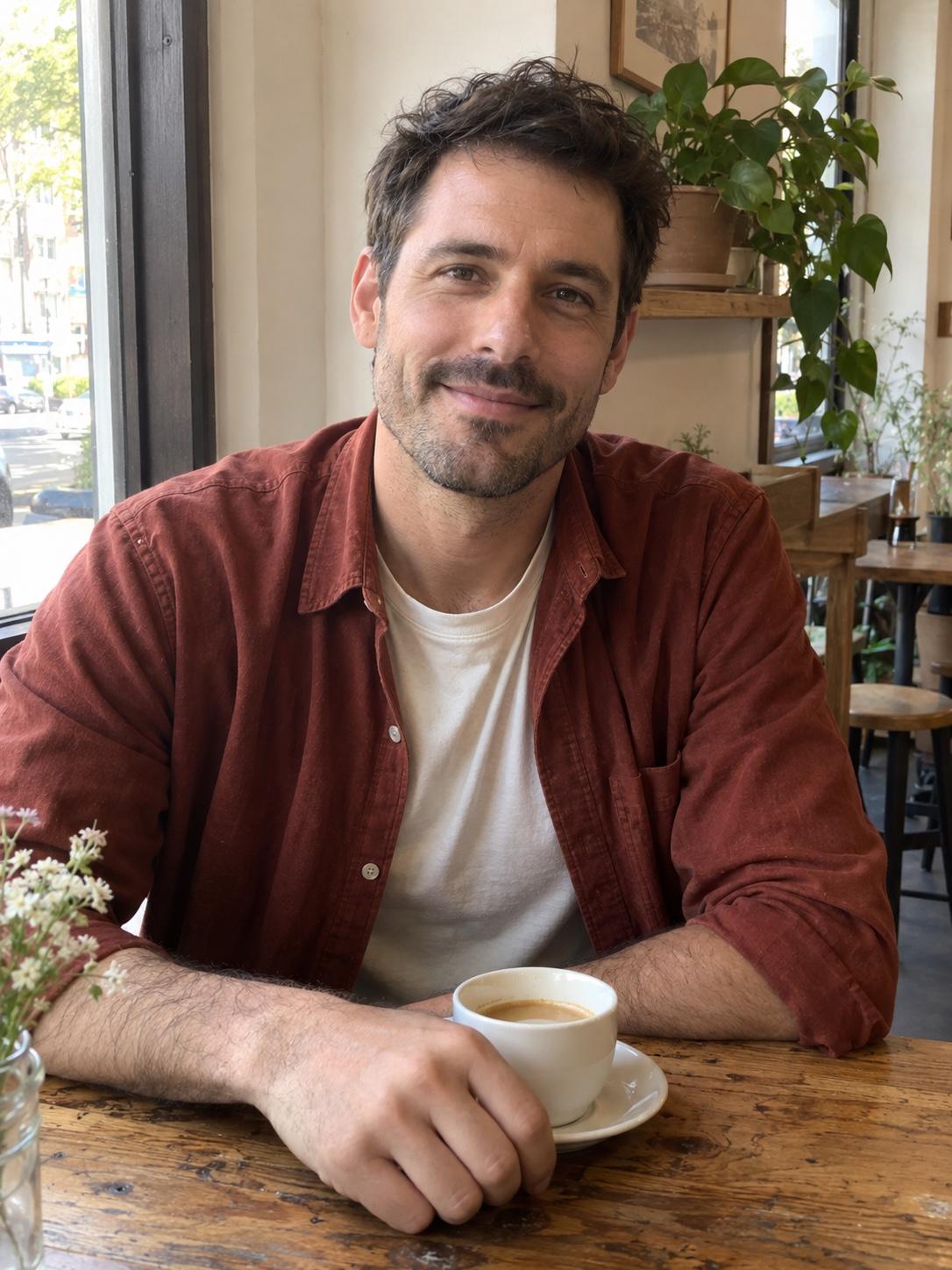
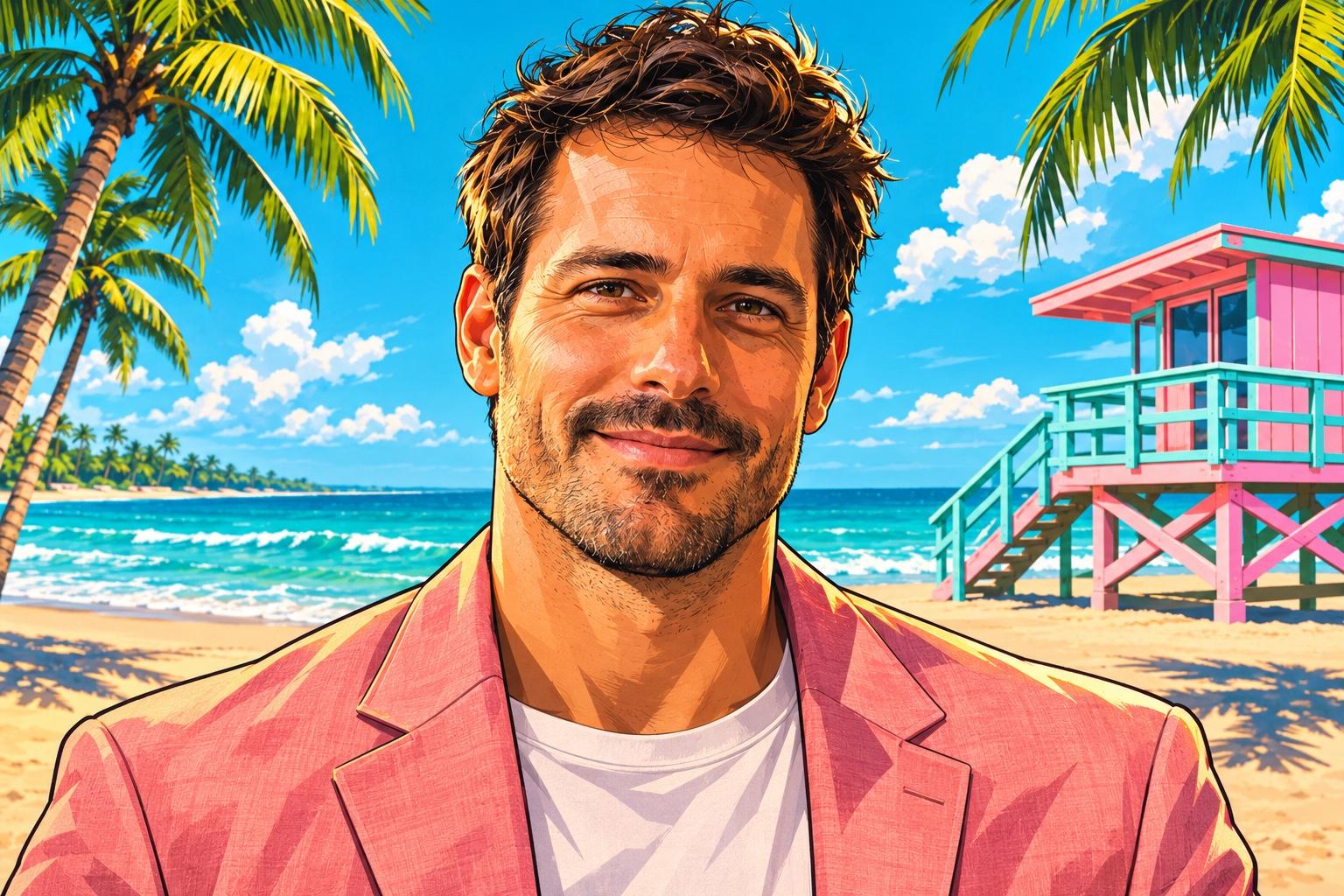
GTA 6 PFP is a Vice City inspired illustrated avatar style built from a single photo — combining bold ink outlines, painterly cel-shaded planes, and sunlit coastal or neon backdrops while preserving every subject's real clothing and likeness so your portrait stays unmistakable even inside a 40-pixel profile circle.
Soft photorealistic filters often turn muddy when shrunk down next to a username in chat threads, gaming lobbies, and reply feeds. The painted loading-screen aesthetic solves that with crisp silhouettes and dramatic edge lighting — Sunset Palms brings warm coral glow, while Neon Night and Police Lights push high-contrast pink, cyan, red, and blue highlights that pop on dark-mode apps like Discord and Steam.
Every GTA 6 PFP frames solo portraits or multi-person shots with balanced headroom above the hair or pet ears, so circular profile masks never clip faces or crowns. Because original clothes stay intact instead of putting everyone in an identical uniform, couples, friends, and pets all keep their own personality while sharing the same painted Vice City lighting.
Fan-inspired artwork notice: GTA 6 PFP on AIGenTools is an independent stylized avatar generator and is not affiliated with Rockstar Games or Take-Two Interactive. Generated avatars omit official game logos and watermarks.
Every GTA 6 PFP scene rebuilds the background and wraps custom rim lighting around your real outfits so every subject stays crisp even at small thumbnail sizes.
A glowing magenta-coral-gold sunset over ocean water, tall silhouetted palms, and pastel Art Deco beachfront hotels.
Lighting: Warm golden-coral sunset glow with bright magenta-orange rim highlights.
Rain-slick midnight downtown streets reflecting hot-pink and electric-cyan neon storefronts and city towers.
Lighting: Dual-tone hot-pink and electric-cyan neon edge light across faces and clothes.
Moody wet city night flanked by flashing red and blue police lightbars and a helicopter searchlight beam overhead.
Lighting: High-contrast split red and electric-blue siren rim light on opposite edges.
Clear turquoise ocean, bright sunlit sky, golden sand, swaying green palms, and a pastel pink-and-aqua lifeguard tower.
Lighting: Crisp coastal daylight with warm sun highlights and clean cel-shaded shadows.
Go from an everyday phone snapshot to a finished GTA 6 PFP in three quick steps with no prompt writing.
Add a well-lit photo of yourself, a couple, friends, or pets. Even a plain wall background works cleanly because the GTA 6 PFP generator rebuilds the entire scene behind everyone while keeping original outfits intact.
Select Sunset Palms, Neon Night, Police Lights, or Beach Day in the Background picker, then choose your preferred resolution.
Click Generate from your signed-in account and watch your finished GTA 6 PFP appear in the history panel. Download the image and upload it straight to your profile.
01 / Gaming
Drop a Neon Night or Police Lights GTA 6 PFP straight into dark-mode gaming profiles where sharp ink lines and bright rim highlights stand out immediately.
02 / Multi-Subject
Upload a photo with your partner, friends, or gaming crew to turn everyone in the shot into a single matching Vice City portrait while keeping each person's real outfit.
03 / Pets
Illustrate your dog, cat, or a selfie with your pet in Beach Day or Sunset Palms light while preserving real ears, fur markings, and natural collars.
04 / Creators
Export at 2K or 4K when you want one illustrated character portrait that works as a crisp X or YouTube avatar and also scales cleanly onto overlays and stream panels.
Jump back to the studio above, upload a photo, and pick your favorite Vice City backdrop.