
Free AI Old Photo Restoration — Repair Faded & Blurry Photos Online
Bring old, faded, and blurry photos back to life in one click with online Old Photo Restoration. Upload a scan of an old picture — or a phone shot of a print — and the AI restores faces, sharpens detail, and lifts resolution. No Photoshop, no watermark.
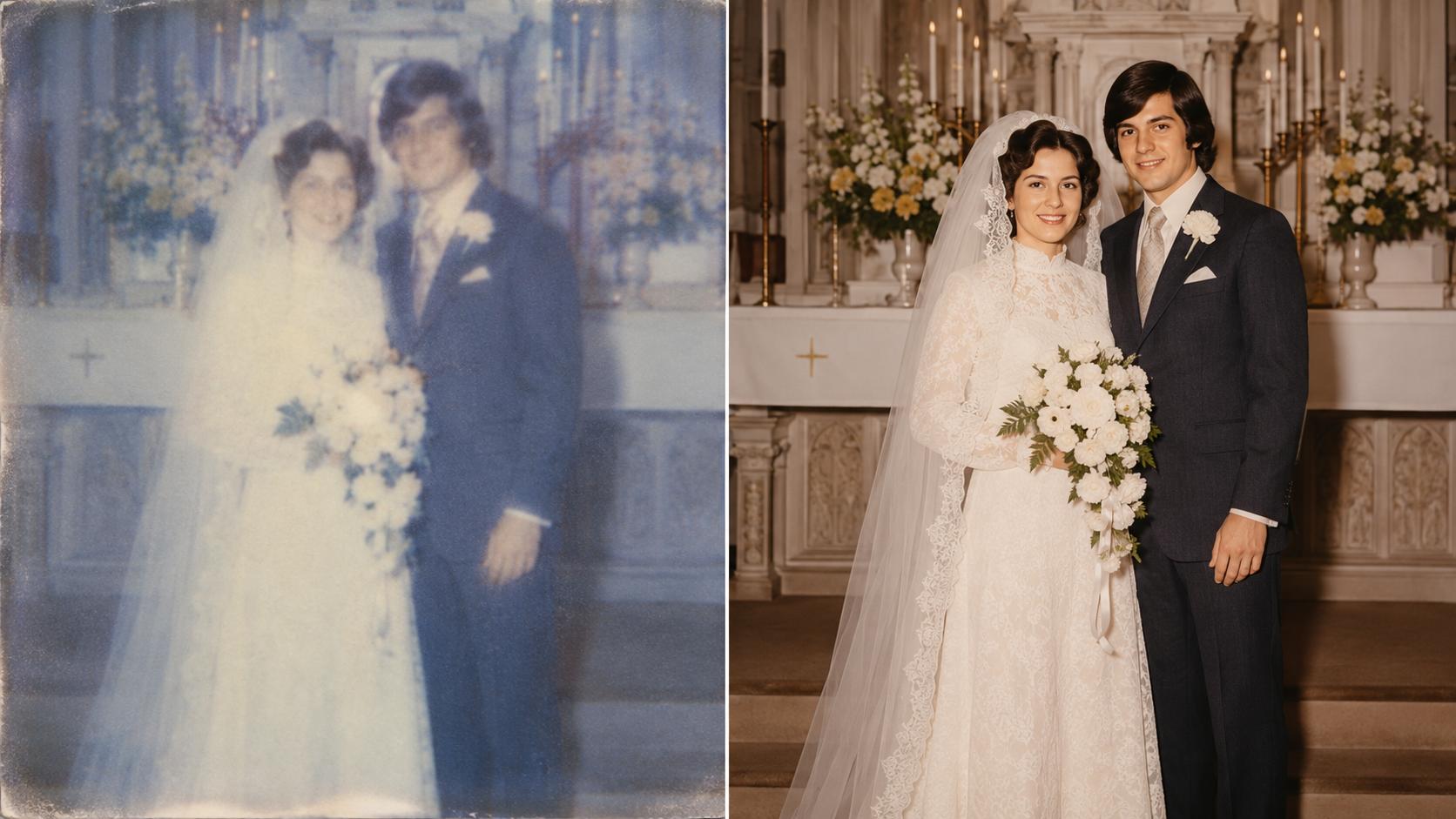
Old Photo Restoration That Respects the Original Face
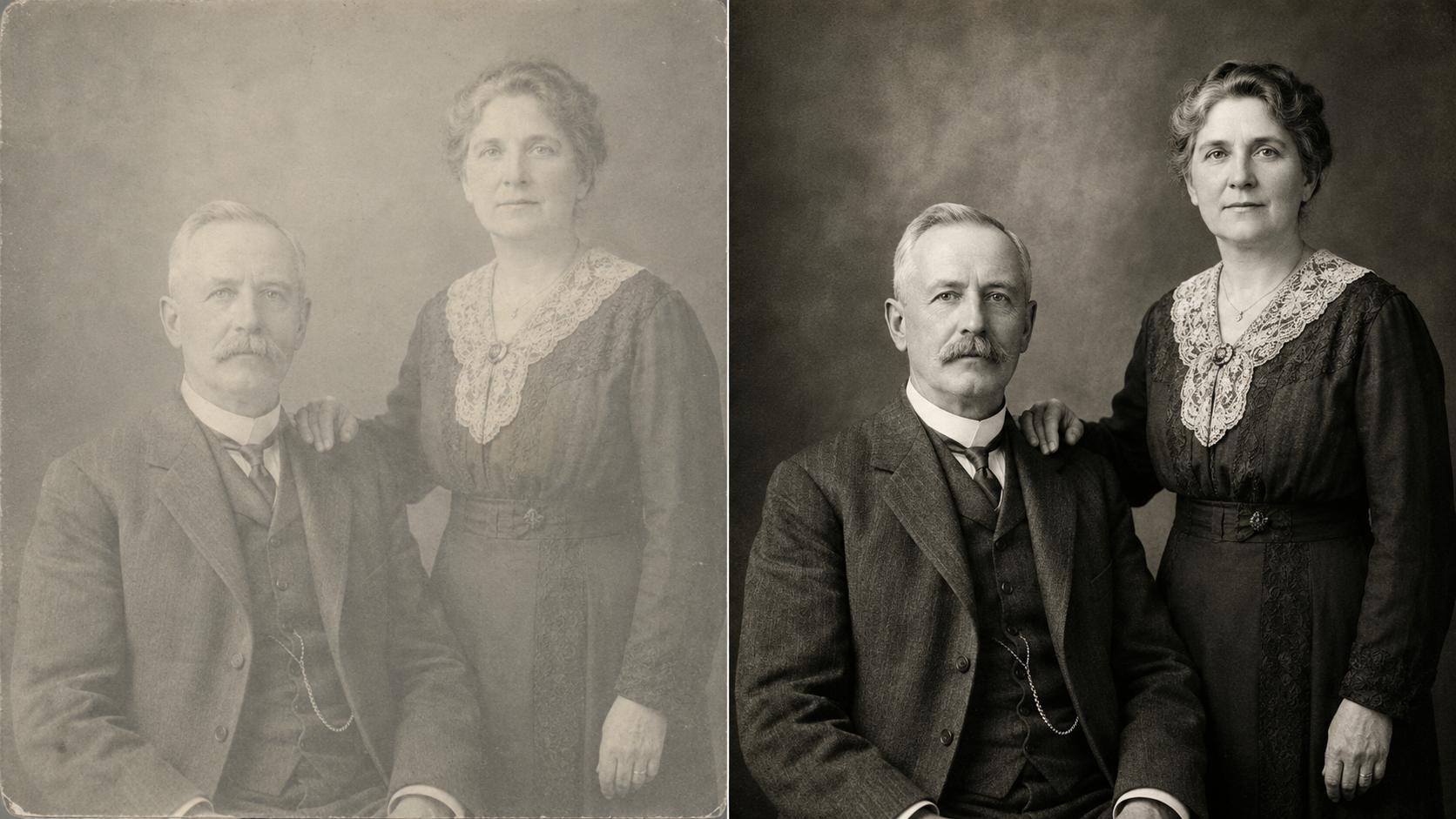
A restored photo only feels real when the person still looks like themselves. Old Photo Restoration rebuilds degraded faces faithfully — eyes, skin, expression — while sharpening everything else. Black-and-white stays black-and-white: your memory made clear, not a remake. The result is what careful old photo retouching would deliver — automatically, in seconds.
Restore Old Photos Online Free — No Photoshop Needed
Upload an old photo, let Old Photo Restoration rebuild it, and download the result — all in the browser, no app, no editing skills. What takes hours of clone-stamping in Photoshop finishes here in seconds.
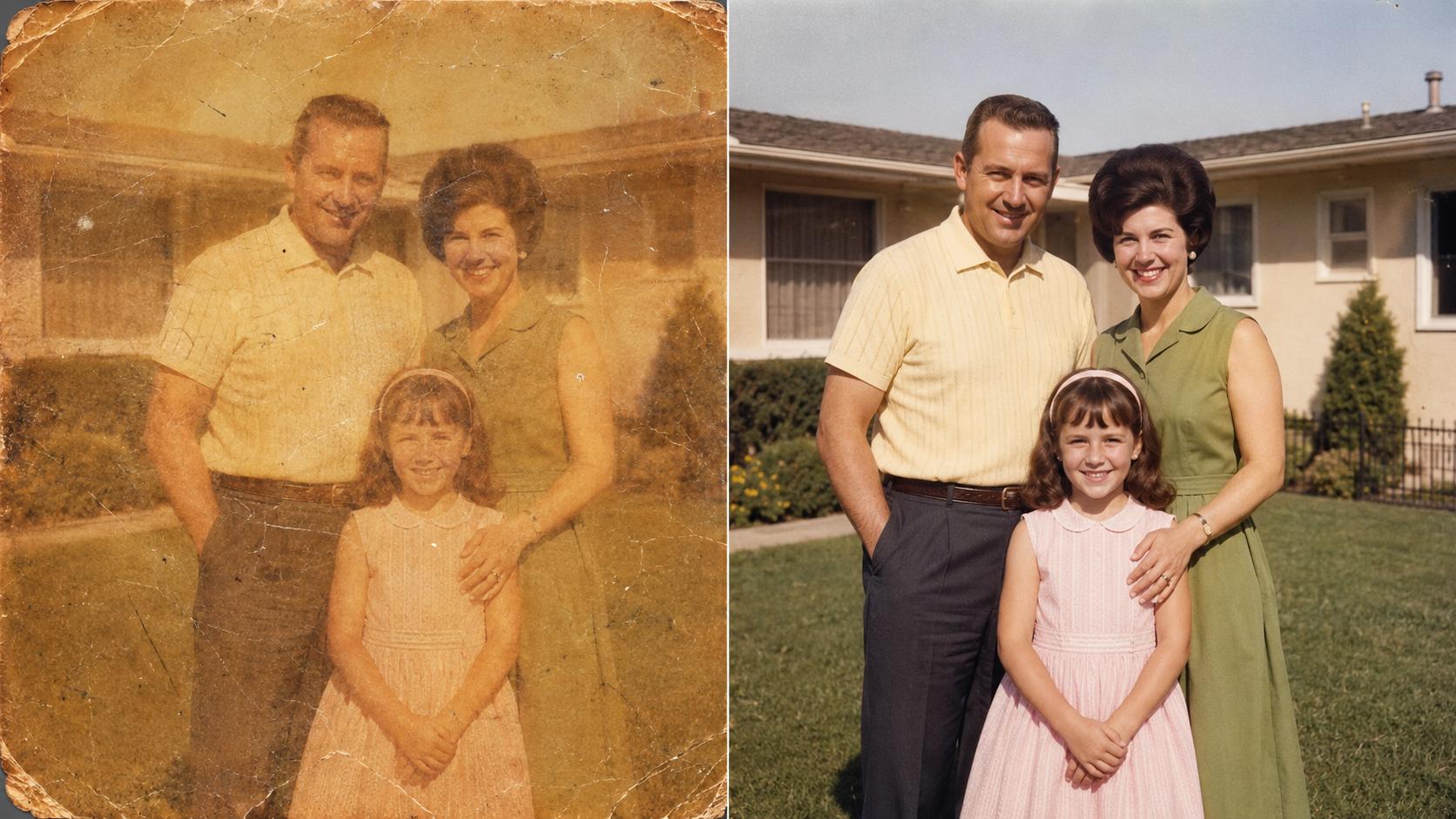
Face Restoration That Keeps the Person Recognizable
Old portraits lose the most detail where it matters most — the face. Old Photo Restoration rebuilds eyes, skin texture, and expression while preserving identity: faithful restoration, not a beauty filter.
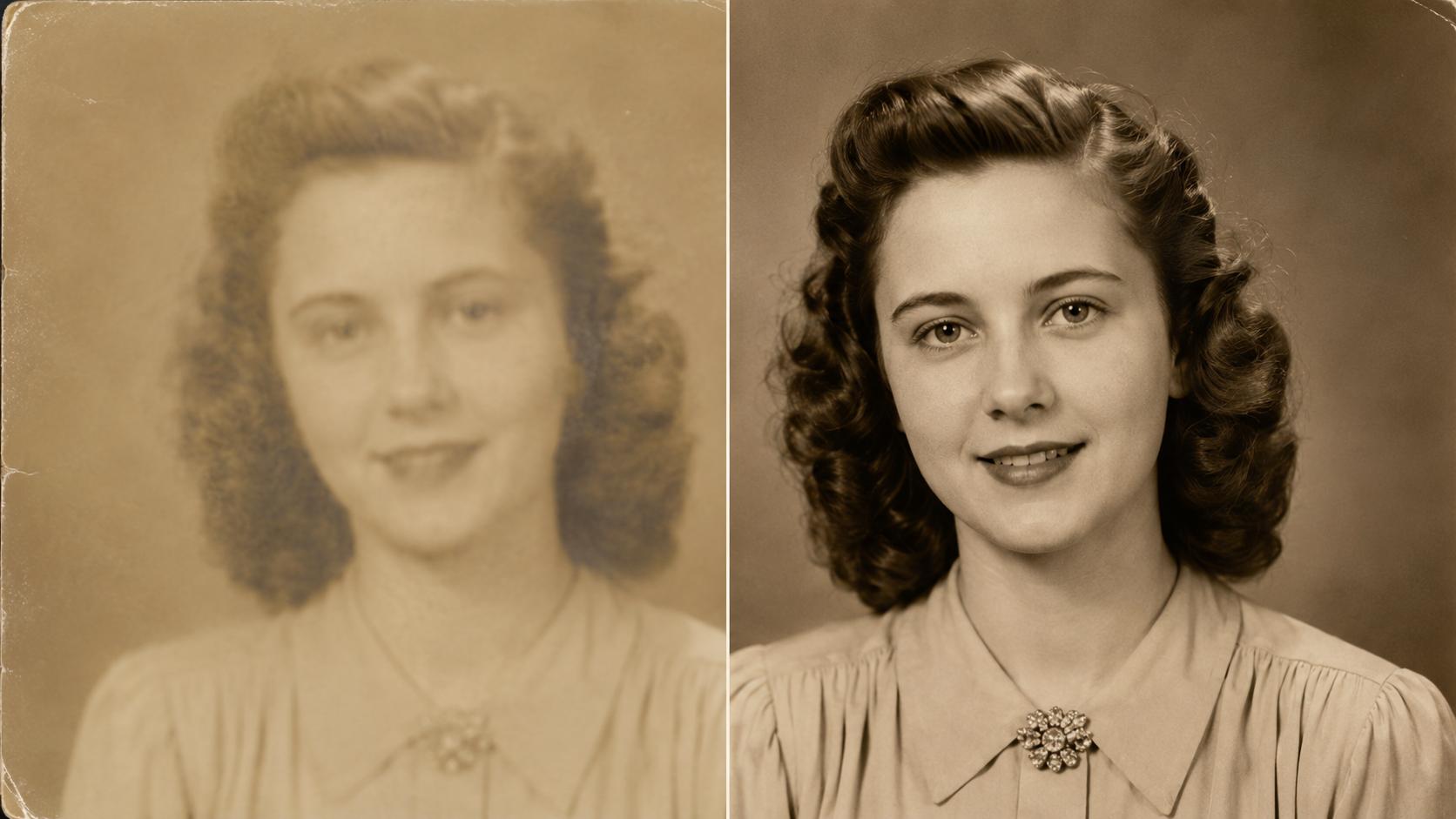
Fix Blurry, Faded, and Grainy Old Photos
Beyond faces, Old Photo Restoration sharpens soft scans, recovers detail flattened by decades of fading, and cleans up old film grain — so a washed-out print reads clear and present again.
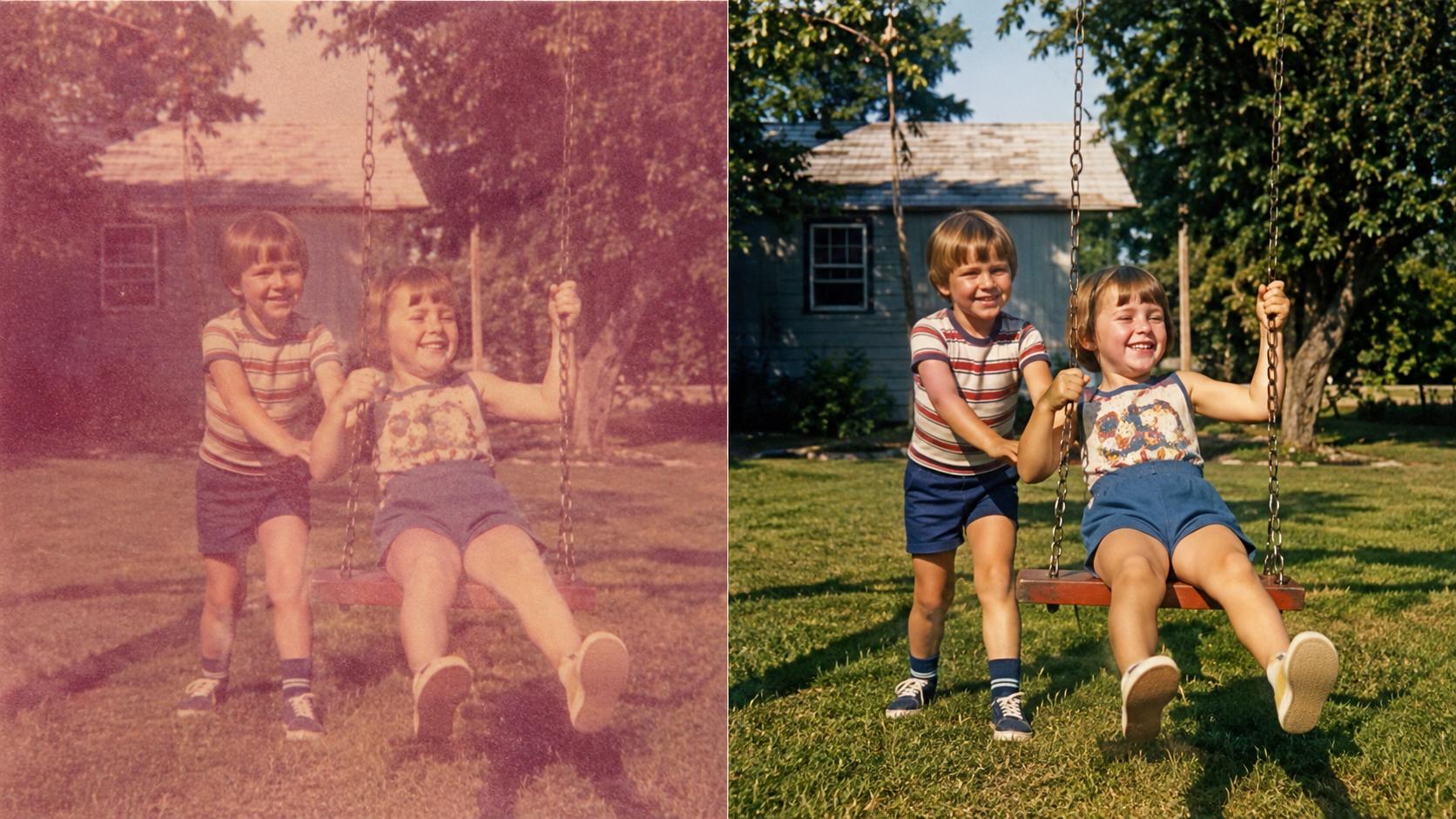
High-Resolution Results Ready to Reprint
Restored photos come back upscaled with the original character intact — crisp enough for reprints, photo books, framed gifts, and family-history projects. Free downloads carry no watermark.
What Makes Old Photo Restoration Stand Out?
Old Photo Restoration is built for the photos that matter — it pairs faithful face recovery with real detail sharpening and watermark-free downloads for free users, plus higher limits for paid users.
One-Click Photo Repair, No Manual Retouching
Skip the clone-stamp and hours of editing. Upload an old photo and Old Photo Restoration detects faces, recovers lost detail, and upscales — all in one automatic pass.
Faithful to the Original Person
Old Photo Restoration is tuned to recover what was really there — identity, expression, and proportions stay true, so the result is your memory made clear, not a different face.
No Forced Colorization or Filters
Old Photo Restoration never colorizes black-and-white shots or applies a look — tones and colors follow the original print. What comes back is your photo, just clear again.
How to Use Old Photo Restoration
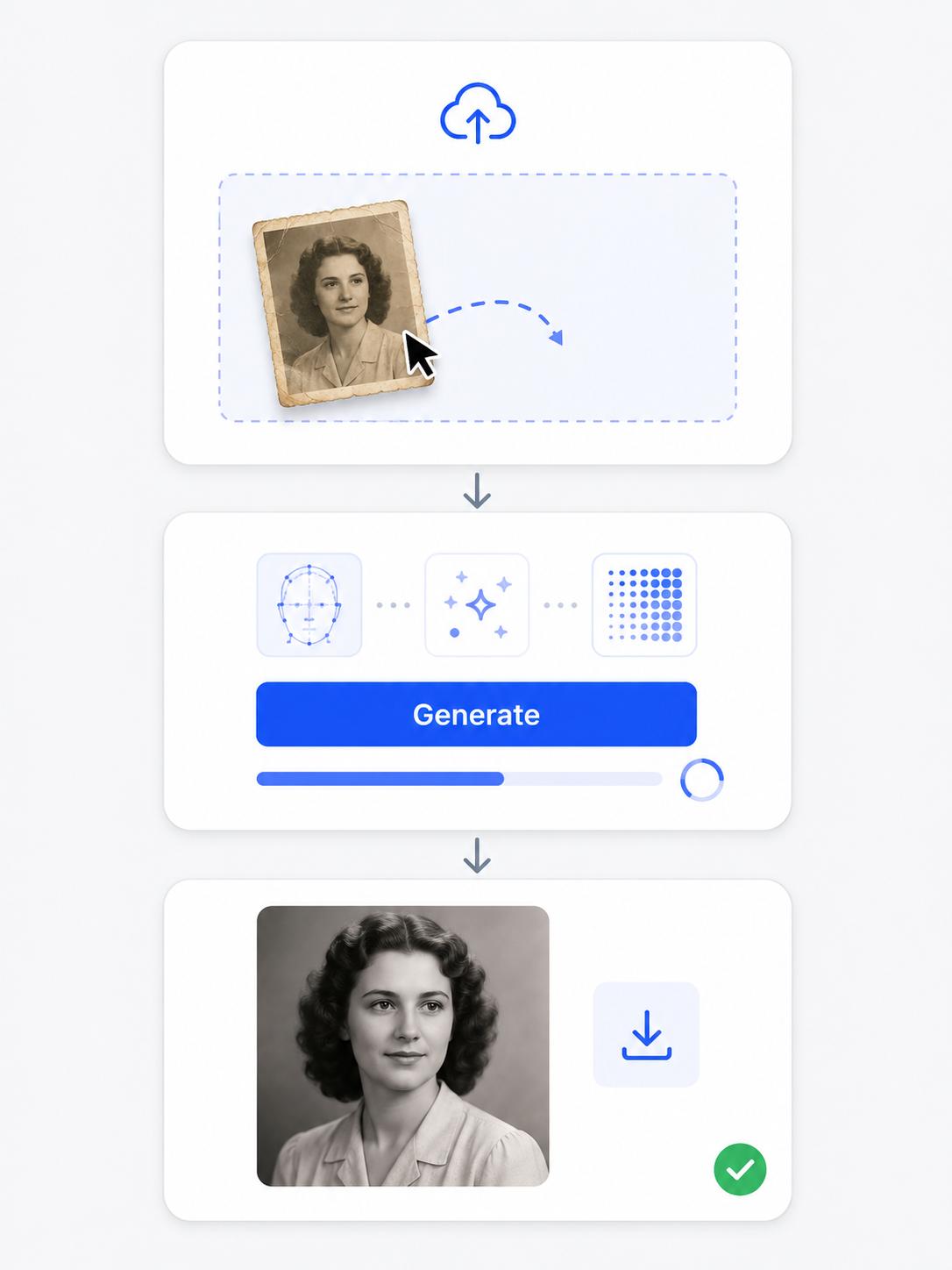
Step 1 Upload Your Old Photo
Drop a PNG, JPG, or WEBP into Old Photo Restoration — a faded print, a blurry scan, or a low-resolution snapshot. No scanner? A straight-on phone picture of the printed photo works too. The clearer the original face area, the better the restored result.
Step 2 Restore It with One Click
Click Generate and Old Photo Restoration rebuilds the faces, fixes fading and blur, sharpens fine detail, and upscales the whole photo. Most images finish in a few seconds — no settings to tweak, no manual masking.
Step 3 Download the Restored Photo
Preview the before-and-after, then download the full-resolution restored photo watermark-free. Reprint it, add it to a photo book or family archive, frame it as a gift, or share the revived memory.
Frequently Asked Questions
Explore More Tools from AIGenTools






Bring Your Old Photos Back to Life with Old Photo Restoration
Upload a faded, blurry, or grainy photo and let the AI rebuild the faces, sharpen the detail, and upscale the image — free, watermark-free results in seconds.