Almost everybody has a photo sitting on their phone that is ninety percent right. Maybe the light outside the window was harsh when you wanted a cozy rainy afternoon, a product shot on your kitchen counter needs a clean café table underneath it, or you tried making a weekend event poster and the AI turned half the words into alphabet soup.
Three image models get brought up constantly for jobs like those right now: OpenAI's GPT Image 2.5, ByteDance's Seedream 5.0 Pro, and Google's Nano Banana Pro. None of the three wins at everything. Each one has a distinct personality, a favorite kind of picture, and a slightly confusing set of sibling names that trips people up at first glance.
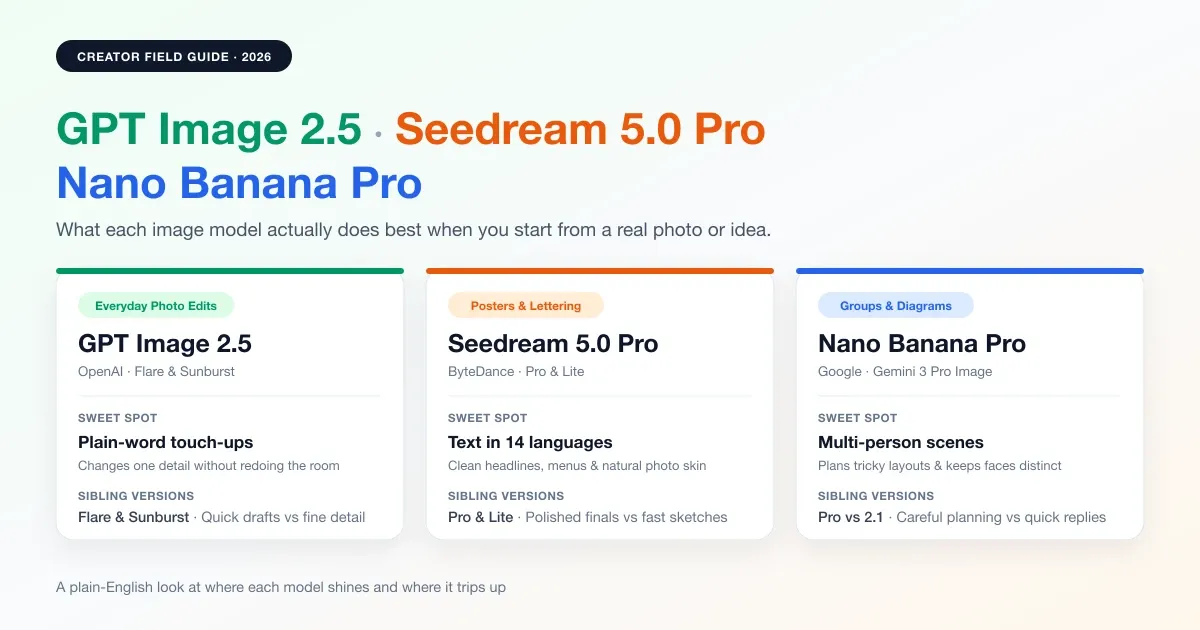
Each of the three big 2026 image models was tuned around a slightly different creative headache.
Changing one part of a real photo without ruining the rest
For a long time, asking AI to tweak a real photograph felt like playing roulette. You would ask for a winter coat or a new backdrop, and the model would quietly remodel the person's nose, rearrange the furniture, and swap the lamp in the corner while it was at it.
GPT Image 2.5 is the calmest pair of hands when you already like most of your picture and only want one thing changed. You type the edit in plain everyday words, the same way you would explain it over someone's shoulder: turn the sunny afternoon outside the window into steady rain, swap a T-shirt for a linen blazer, or move a skincare bottle onto an autumn counter. Because you do not have to paint selection masks around every edge, small touch-ups stay quick, and the untouched parts of the room stay recognizable.
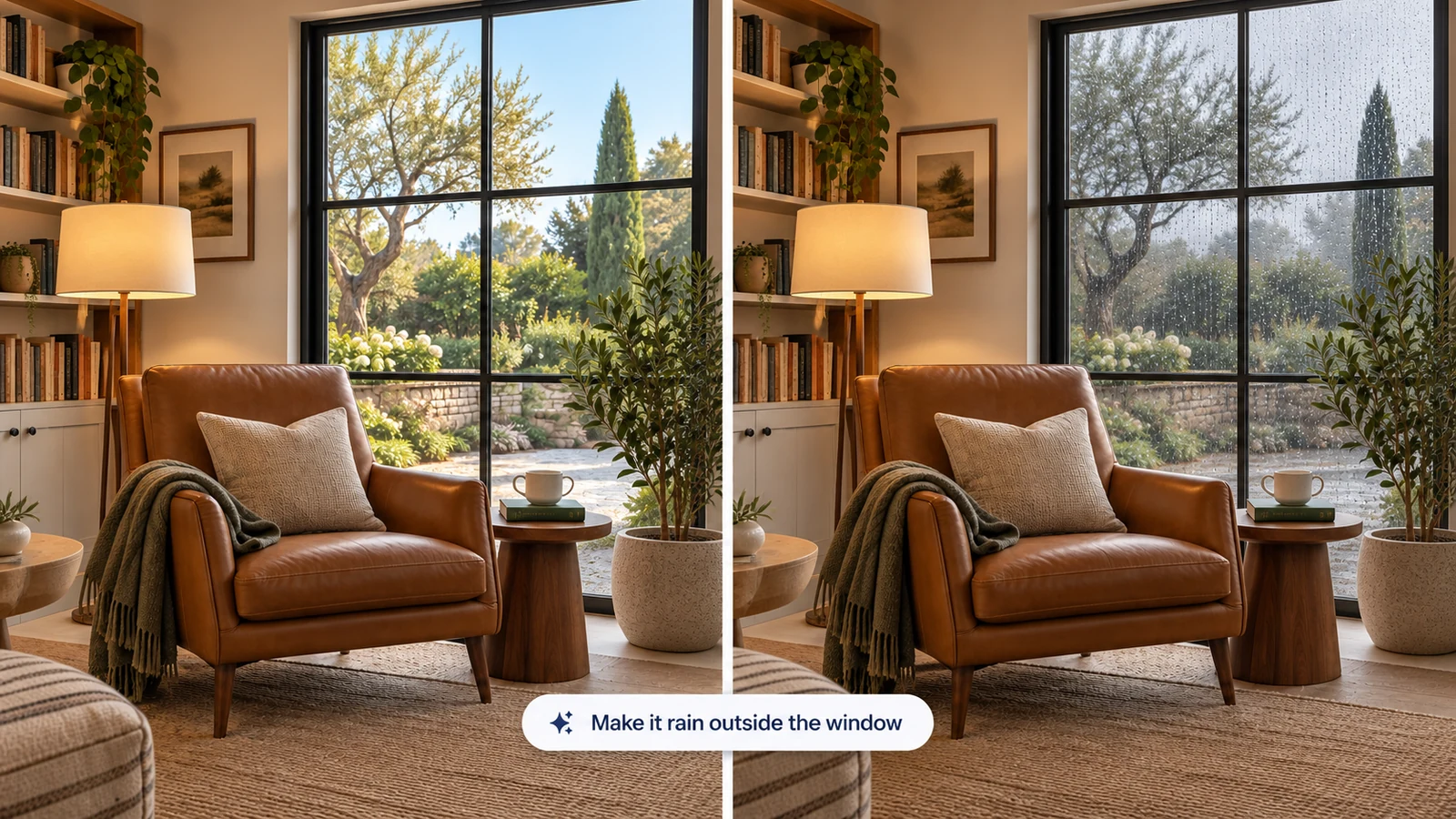
Changing the weather outside the window with GPT Image 2.5 while the chair, lamp, and books stay right where they were.
It also handles moodboards well when you want to combine several inspirations at once: a person from one photo, an outfit from a second, and lighting from a third. Across multiple rounds of small adjustments, faces and product labels hold onto the details that make them look like the original shot.
Posters, menus, and clean words in 14 languages
Type three big English words onto a coffee-shop flyer and all three models will usually spell them fine. Ask for a full menu card, small badge text, or headlines in Japanese, Korean, Arabic, or Spanish, and most image generators still start inventing imaginary letters.
Seedream 5.0 Pro is the standout whenever words are part of the artwork. ByteDance trained it specifically around graphic layout and clean lettering across 14 languages, so tea posters, book covers, social cards, and chalk-style explainers come back looking like someone actually set the type by hand.
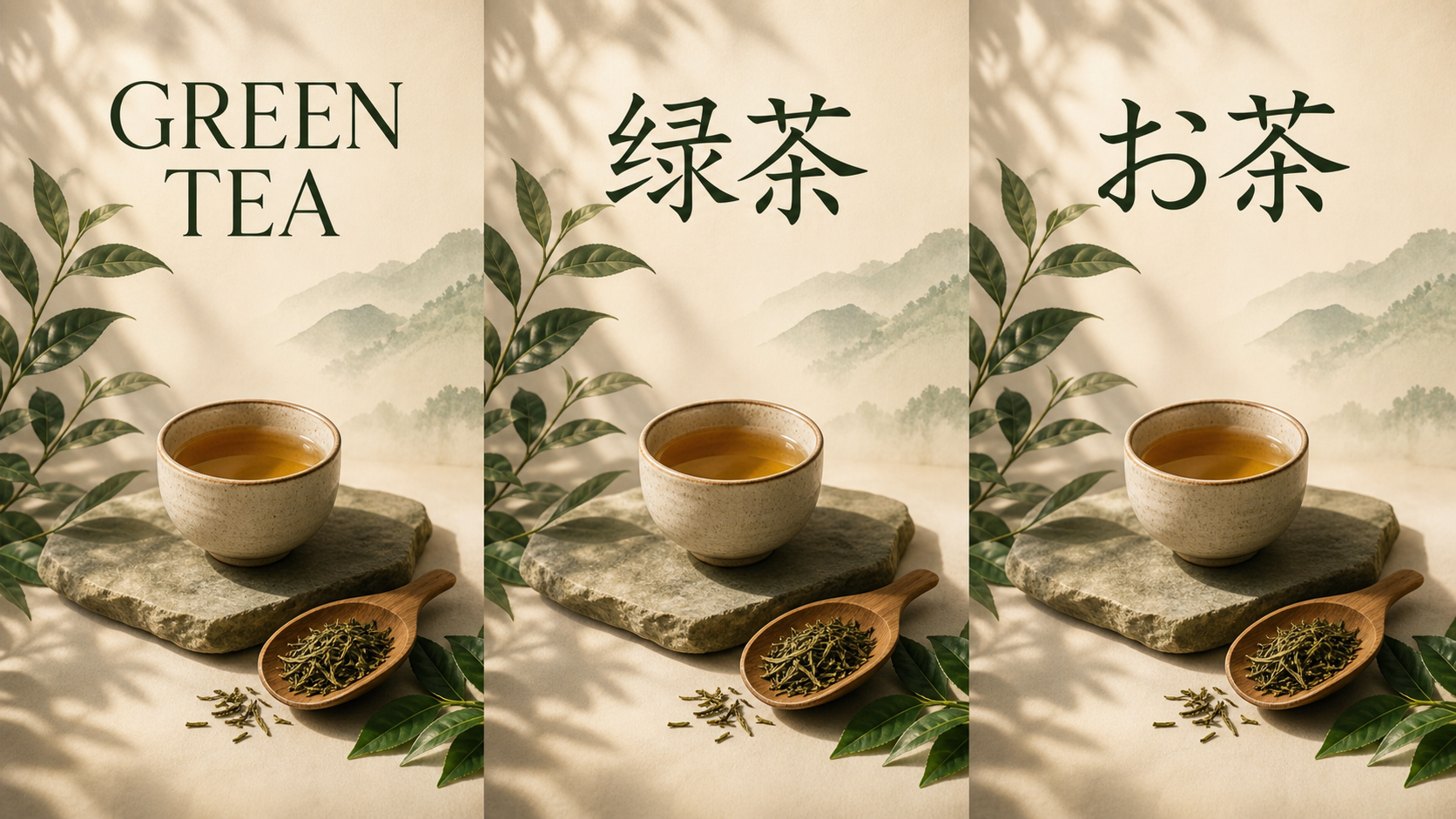
Three matching campaign posters generated with Seedream 5.0 Pro, keeping the design consistent across different scripts.
Even when there is not a single letter in the picture, photographers and shop owners tend to like Seedream 5.0 Pro's eye for light and skin. Older AI portraits often have a waxy, airbrushed sheen that gives them away from across the room. Seedream leans much closer to natural camera grain, fabric texture, and believable indoor shadows, especially when you are building a whole series around the same character or product. If you ever need an extra-large version of a finished Seedream shot for a big wall poster, running it through an upscaler afterward gets it ready for print.
Group scenes, tricky layouts, and step-by-step diagrams
Where Google's Nano Banana Pro separates itself is on prompts that read like a stage direction or a classroom whiteboard. Put four or five specific people into one scene on most models and two of them will eventually trade hairstyles or blend into the same face.
Built on Google's Gemini 3 Pro image model, Nano Banana Pro pauses to work out the logic of the scene before drawing it. That extra planning shows up in two places: group pictures where up to five distinct people need to look like themselves from a new camera angle, and structured English infographics where timelines, cutaway labels, and arrows actually need to point to the right part of the drawing.
Making sense of the sibling names: Flare vs Sunburst, Pro vs Lite, and 2.1
Half the arguments online about which of these three models looks best happen because two people unknowingly picked different versions under the hood. Every lab now splits its image lineup into a quick everyday option and a slower, more careful one.
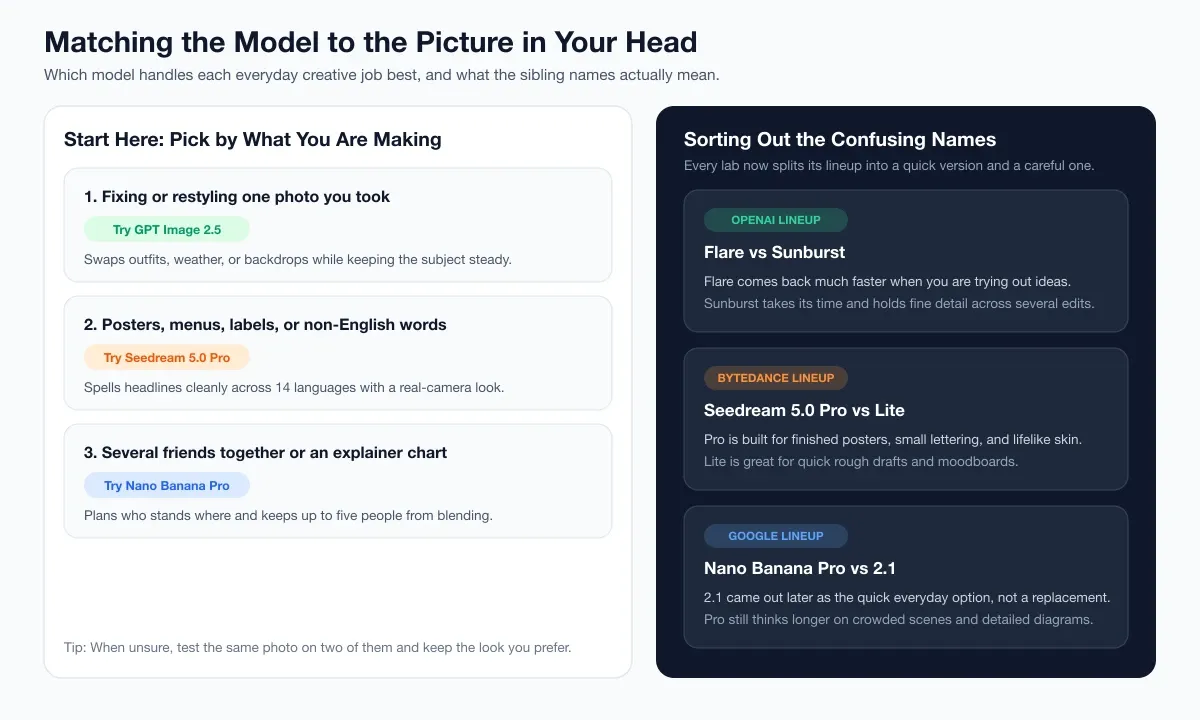
A quick cheat sheet for picking by the job in front of you and telling the sibling names apart.
GPT Image 2.5: Flare vs Sunburst
OpenAI released GPT Image 2.5 in two flavors. Flare is the brisk everyday option, built for trying out compositions and social visuals without waiting long between ideas. Sunburst takes a bit more time and puts extra care into fine textures and multi-step photo edits, making it the one to switch to once you have a direction worth polishing.
Seedream 5.0: Pro vs Lite
Seedream 5.0 Lite is great when you are sketching rough concepts or pulling together quick moodboards from a pile of reference pictures. Step up to Seedream 5.0 Pro whenever the picture carries small lettering, dense poster layouts, or close-up portrait skin that needs to pass as a real photograph.
Nano Banana: Pro vs 2 and 2.1
Google's naming trips up more people than the other two combined. Nano Banana Pro arrived first as the deep-thinking flagship, and Nano Banana 2 and 2.1 came along later in 2026. Despite the higher number, 2.1 is the speedy everyday sibling rather than a higher tier. Casual chat apps often default to 2.1 for speed, which explains why so many people go looking for ways to switch back to Nano Banana Pro when a crowded group shot or detailed chart needs extra care.
A quick cheat sheet before you start
If you just want a simple starting point for whatever is in front of you today, match the idea to what each model enjoys doing most:
| What you want to make | Try first | Worth trying second |
|---|---|---|
| Change outfits, weather, or backgrounds on one real photo | GPT Image 2.5 (Sunburst for finals) | Seedream 5.0 Pro |
| A poster, menu, book cover, or card with words in other languages | Seedream 5.0 Pro | Nano Banana Pro (for English charts) |
| Realistic lifestyle shots that avoid waxy AI skin | Seedream 5.0 Pro | GPT Image 2.5 |
| Three to five friends or characters sharing the same scene | Nano Banana Pro | GPT Image 2.5 |
| An educational diagram, timeline, or labeled cutaway | Nano Banana Pro | Seedream 5.0 Pro |
| Quick rough variations while brainstorming an idea | GPT Image 2.5 Flare | Seedream 5.0 Lite |
Trying the same idea across all three
The easiest way to tell which style fits your taste is still to feed the exact same photo or prompt to two of them and trust your eyes. You can switch straight between GPT Image 2.5, Seedream 5.0 Pro, and Nano Banana Pro inside Image to Image or Text to Image on AIGenTools, keeping every attempt side by side in one history panel until you land on the keeper.