ChatGPT for one thing, Claude for another, Gemini when you want a third opinion. If that sounds like your browser, with a tab and a login for each, AI Chat on AIGenTools puts all AI models in one place. You pick GPT-6.1 Sol, Claude Opus 5.5, Gemini 4 Argon, DeepSeek, Grok or Kimi from one menu, and you can change your mind halfway through a conversation.
You can try it right now in AI Chat. Pick a model from the menu under the text box and start typing. Below is a plain-English guide to the sixteen models in that menu and what each one is good at.
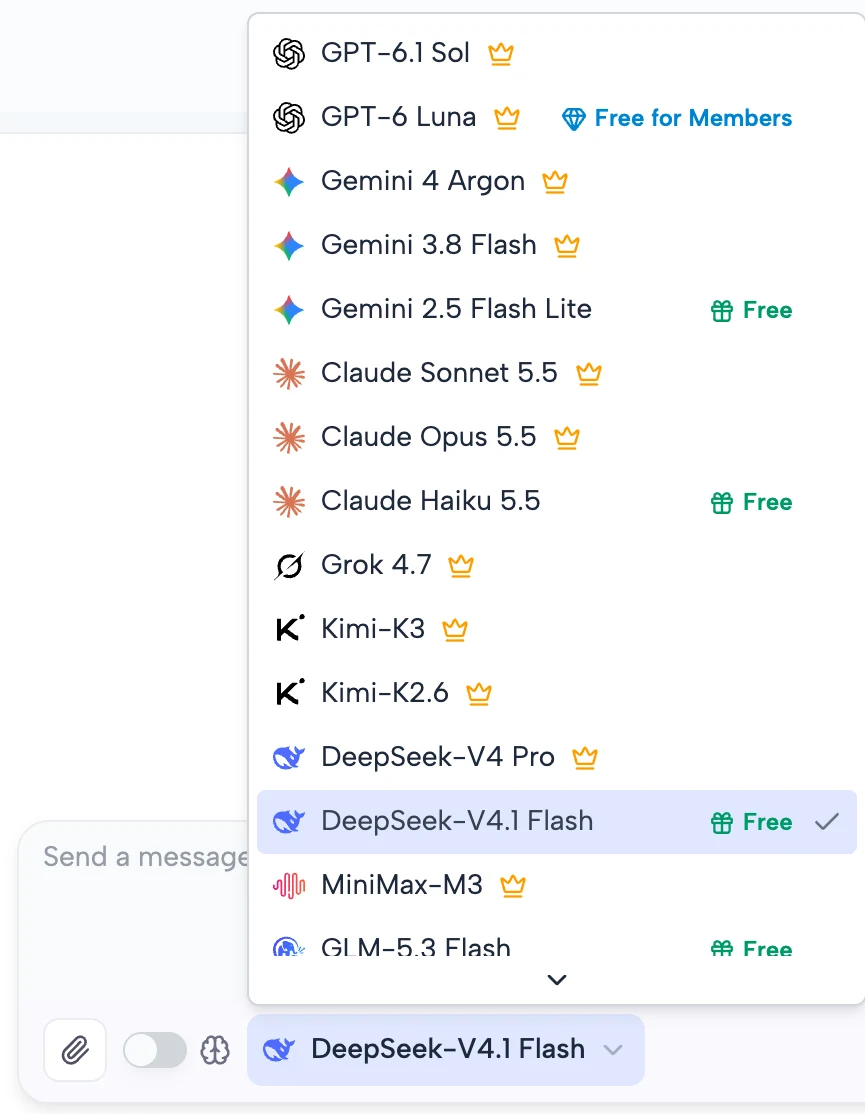
Which AI models can you chat with in one place?
Sixteen of them, from nine companies. Here's the whole list as of October 2026.
| Model | Who makes it | Good for |
|---|---|---|
| GPT-6.1 Sol | OpenAI | Bigger jobs: coding, reports, presentations |
| GPT-6 Luna | OpenAI | Quick everyday questions |
| Claude Opus 5.5 | Anthropic | Long, sprawling work and careful research |
| Claude Sonnet 5.5 | Anthropic | Everyday tasks, bug fixes, polished documents |
| Claude Haiku 5.5 | Anthropic | Fast summaries |
| Gemini 4 Argon | The hardest problems | |
| Gemini 3.8 Flash | Coding and multi-step tasks, quickly | |
| Gemini 2.5 Flash Lite | Short translations and sorting | |
| Grok 4.7 | SpaceXSI (formerly xAI) | Hard tasks, documents and slides |
| Kimi-K3 | Moonshot AI | Long coding sessions |
| Kimi-K2.6 | Moonshot AI | Turning a prompt or a picture into a page |
| DeepSeek-V4 Pro | DeepSeek | Text-only work |
| DeepSeek-V4.1 Flash | DeepSeek | Fast answers, can see images |
| Qwen3.7 Flash | Alibaba | Questions about photos |
| GLM-5.3 Flash | Z.ai | Building apps from screenshots |
| MiniMax-M3 | MiniMax | Long tasks and coding |
Chat with ChatGPT, Claude and Gemini in the same conversation
The model menu sits right under the text box. Whatever you choose answers your next message, and every reply is signed with the name of the model that wrote it. One chat can hold answers from three different companies and you still know who said what.
That makes it easy to compare AI models side by side. Ask Claude Sonnet 5.5 to tighten a paragraph, then switch to Gemini 4 Argon and ask the same thing. Both answers sit one above the other, and the second model sees the whole conversation, just like the first one did.
Some models think before they answer. Pick one of those and a small Reasoning switch appears next to the menu. A few of them always think, so their switch stays on.
What each AI model is good at
This part leans on what the companies themselves say about their models, minus the benchmark charts.
GPT-6.1 Sol and GPT-6 Luna
OpenAI's GPT-6 line comes in three sizes, and the biggest one, Astra, isn't in AI Chat. GPT-6.1 Sol is the middle size. OpenAI says it comes close to Astra on coding and professional work, and its own examples are the kind of job you'd hand a colleague: turn financial results into a board presentation, or a product brief into a website. It's also more upfront than the older Sol about what it can't do.
GPT-6 Luna is the quick one, made for short, focused jobs. It writes the way the rest of GPT-6 does, which OpenAI describes as clearer, with less jargon and slightly shorter answers. For everyday ChatGPT-style questions, start with Luna and switch to Sol when the task gets long.
Claude Opus 5.5, Sonnet 5.5 and Haiku 5.5
Claude comes in three sizes too, and Sonnet 5.5 is the one to start with. Anthropic built it for everyday work, and it's especially good at fixing bugs and making documents, slides and spreadsheets that look finished. It has a good eye for design as well.
Opus 5.5 is for the big jobs, the long and sprawling kind, like moving a whole codebase onto something new. In Anthropic's own research tests it stuck closely to its sources, and it puts the main point first when it writes, so it's a strong pick for reports.
Haiku 5.5 is the fastest model Anthropic has made. Use it for summaries and anything quick and repetitive.
Gemini 4 Argon, Gemini 3.8 Flash and Gemini 2.5 Flash Lite
Gemini 4 Argon is Google's new top model, made for problems that take a while to think through, like real software projects or legal and financial research. It can write a very long answer in one go, a full proof or an app spread over several files. Google also says it hedges less and skips the clichés.
Gemini 3.8 Flash is the everyday workhorse, Google's smartest Flash model so far for coding and multi-step tasks. Gemini 2.5 Flash Lite is the old-timer of the list, from July 2025, and the lightest. It's fine for quick translations and sorting things into groups.
Grok 4.7
Grok 4.7 comes from SpaceXSI, the company that started out as xAI. This version works longer on hard problems and checks its own work more carefully than Grok 4.6 did, and it got better at writing documents and presentations.
DeepSeek-V4 Pro and DeepSeek-V4.1 Flash
DeepSeek has two models in the menu, and the smaller one is the newer one. DeepSeek-V4.1 Flash can look at images, and DeepSeek says it beats V4 Pro on both speed and results. V4 Pro works with text only. DeepSeek meant to retire it, then kept it running after users asked for it to stay.
Kimi-K3 and Kimi-K2.6
Moonshot AI makes Kimi. K3 came out in July 2026 with open weights and is built for long coding sessions in big codebases. Moonshot doesn't oversell it: its own launch post says K3 still trails the strongest closed models. K2.6 is the older one, and it's good at turning a short prompt or a picture into a finished interface.
Qwen3.7 Flash, GLM-5.3 Flash and MiniMax-M3
Qwen3.7 Flash, from Alibaba, was built to understand images, and it's especially good at spotting objects and where they sit in a picture. GLM-5.3 Flash, from Z.ai, can turn a screenshot into a working app and also handles office work like reports and spreadsheets. MiniMax-M3 learned from text, images and video together, and it can decide for itself when a question needs extra thought.
Claude vs ChatGPT vs Gemini: which one should you use?
There's no single best AI model. Each one was built for different jobs, so here's a cheat sheet based on what their makers designed them for.
| What you're doing | Try first | Also good |
|---|---|---|
| A quick everyday question | GPT-6 Luna | Claude Haiku 5.5, Gemini 3.8 Flash |
| Fixing a bug or adding a feature | Claude Sonnet 5.5 | GPT-6.1 Sol |
| A big change across a whole codebase | Claude Opus 5.5 | Kimi-K3, Grok 4.7 |
| Researching and writing up a topic | Claude Opus 5.5 | Gemini 4 Argon |
| A document, slides or a spreadsheet | Claude Sonnet 5.5 | GPT-6.1 Sol, Grok 4.7 |
| A question about a photo or screenshot | Qwen3.7 Flash | Gemini 4 Argon, Claude Sonnet 5.5 |
| Turning a screenshot into a web page | GLM-5.3 Flash | Kimi-K2.6 |
| A short translation or summary | Claude Haiku 5.5 | Gemini 2.5 Flash Lite |
So which AI model is best for coding? For a big job across a whole project, Claude Opus 5.5. For everyday fixes, Claude Sonnet 5.5. GPT-6.1 Sol, Grok 4.7 and Kimi-K3 are all built for coding too, and the quickest way to find out which suits your project is to paste the same problem into two of them and keep the answer that actually runs.
Got a math problem instead? Math Solver runs on almost the same set of models and can walk you through the solution step by step.
Images, files and your chat history
You can attach a photo and ask about it. Every model here can look at images except DeepSeek-V4 Pro, and the GPT, Claude, Gemini and Grok models can also read .txt and .md files. If you attach something your model can't read, AI Chat tells you before you send.
Chats are saved to your account. You can rename them, pin the ones you keep coming back to, and send someone a read-only link to a conversation.
Chat with all AI models from a Chrome extension
If you'd rather not leave the page you're on, the same chat runs in Chrome's side panel. Install the AIGenTools extension, click its icon, and the chat opens next to whatever you're reading, with the same models, account and history as the website. Start something in the side panel and it'll be waiting on aigentools.io later, and the other way round.
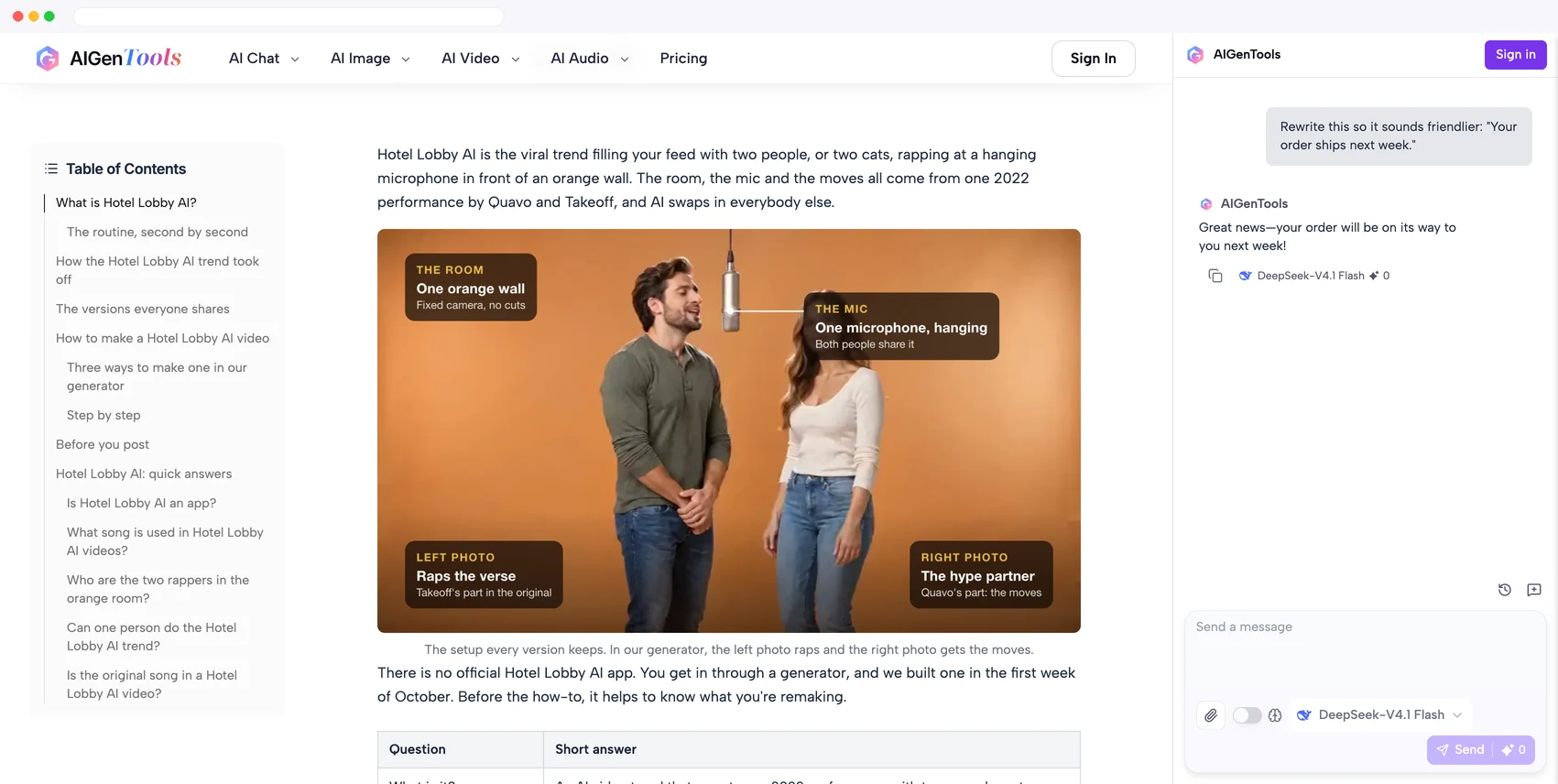
Once it's installed, pin it to the toolbar so the chat is one click away.
All AI models in one place: quick answers
Can I use ChatGPT, Claude and Gemini in one place?
Yes. AI Chat has OpenAI's GPT-6.1 Sol and GPT-6 Luna, Anthropic's Claude Opus 5.5, Sonnet 5.5 and Haiku 5.5, and Google's Gemini 4 Argon, Gemini 3.8 Flash and Gemini 2.5 Flash Lite, plus DeepSeek, Grok, Kimi, Qwen, GLM and MiniMax.
Can I switch AI models in the middle of a chat?
Yes. Pick another model from the menu and your next message goes to it, with the whole conversation so far. Each reply shows which model wrote it.
Is AI Chat free to try?
Yes. Open AI Chat in your browser and start typing. There's nothing to download, and some models ask you to sign in first.
Which AI model is best for coding?
Claude Opus 5.5 for big jobs across a whole codebase and Claude Sonnet 5.5 for everyday fixes. GPT-6.1 Sol, Grok 4.7 and Kimi-K3 are good at coding as well, so try the same problem on two of them.
Can the AI read images and files I upload?
Yes. Every model except DeepSeek-V4 Pro can answer questions about an image, and the GPT, Claude, Gemini and Grok models also read .txt and .md files. Use the paperclip next to the text box.
Is there a Chrome extension to chat with all AI models?
Yes. The AIGenTools extension opens the same chat in Chrome's side panel, signed in to the same account, so you can ask about the page you're reading without switching tabs.
Pick a model, ask your question, and switch when you want a second opinion.
Sources
The model details above come from the makers' own announcements, including OpenAI's GPT-6.1 Sol post, Anthropic's Claude Opus 5.5 post, Google's Gemini 4 Argon post and DeepSeek's V4.1 Flash release notes.